
Kicking a user is used to remove an user from a session. This is primarily used to remove someone when they have asked the game creator to do so.
Removing a user just to make room for a friend is not acceptable. If you would like to have a friend join a full session, message the other users in the session to see if they wouldn't mind leaving.
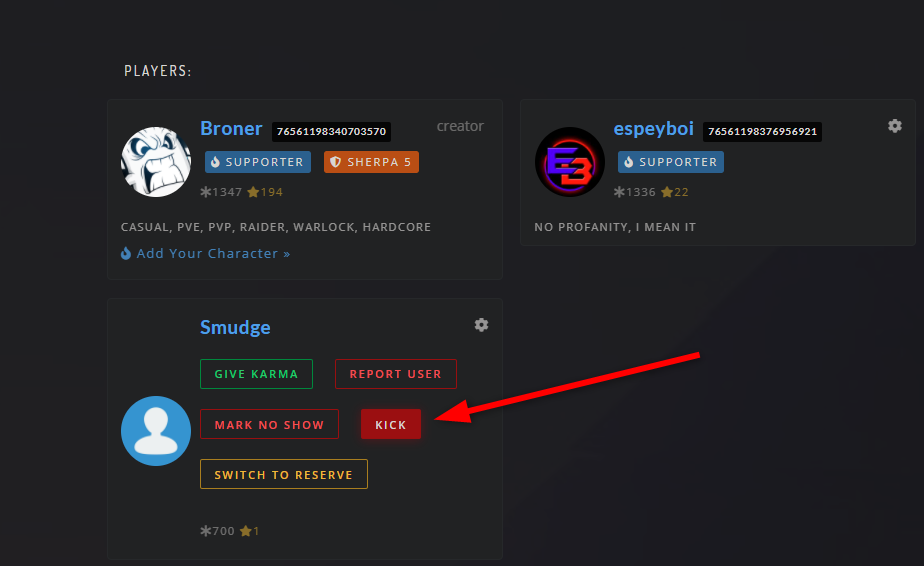
To kick a user
- Go to the game session via a browser
- Click the gear icon
- Click "kick" on the user you want to remove.
Note: You must be the session creator in order to be able to kick someone.
Removing a No Show
- Go to the game session via a browser.
- Click the gear icon, mark them as a no show.
- Then hit the kick button.
Comments
0 comments
Please sign in to leave a comment.