
If you reach the group limit of members in your group (100 by default), you can go above that limit by sending them a special invite link that can be generated from the group page.
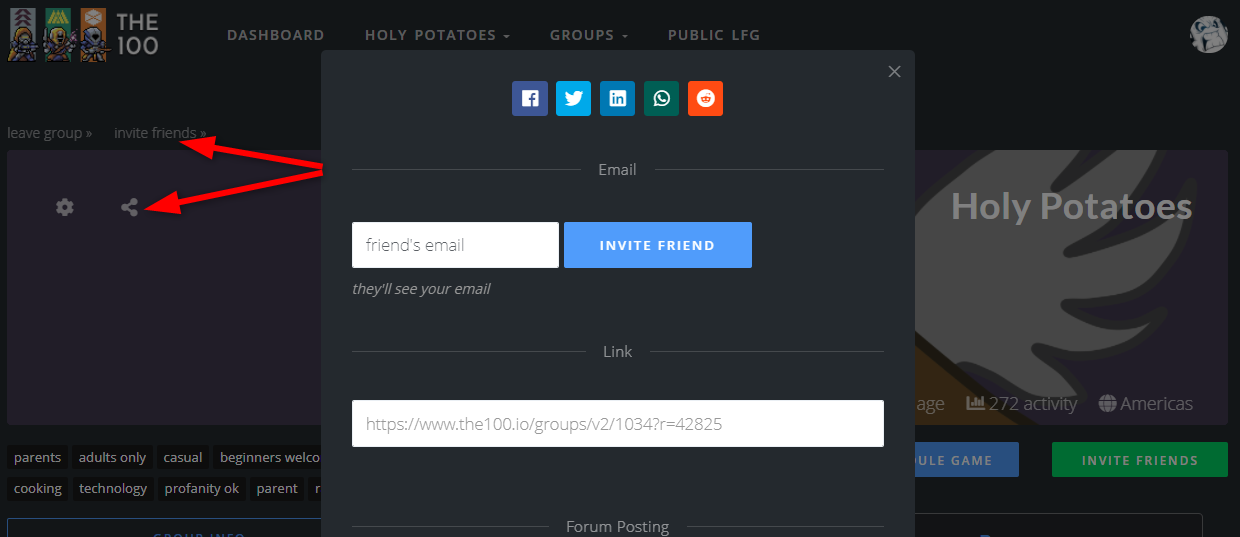
To get the special invite link:
- Navigate to the group homepage via a browser.
- Click the invite friends text or the share link
- Add their email (if you have it) or copy and paste the link to them via your prefered messaging service.
When they follow the link, make sure the user is logged in and they should see this prompt:

Comments
0 comments
Please sign in to leave a comment.