
If you want to make your group Private,
Navigate to the Edit Group page (must be a group mod)
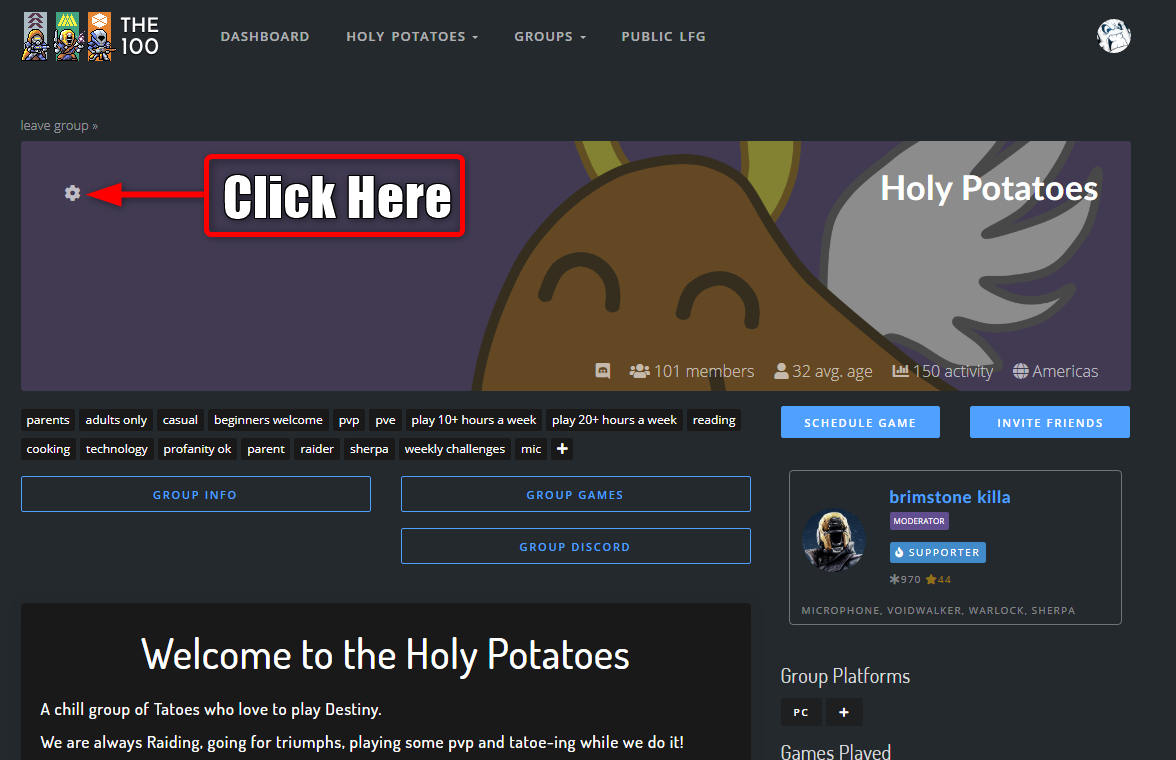
Click the make group private box (see below)
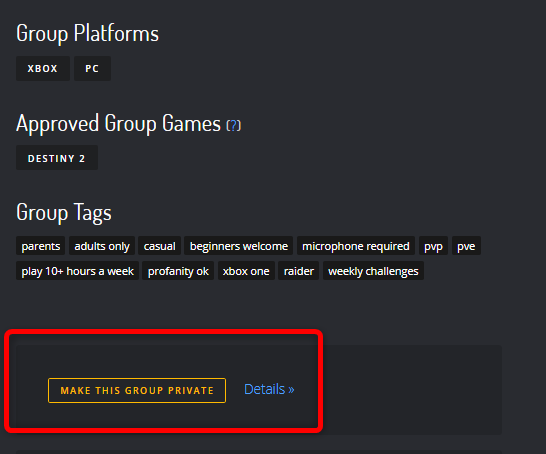
Your group settings will automatically change as follows:
-
Automatic placement of users is disabled
-
Group Games hidden
-
Group Chat hidden
-
All new members will require your approval before joining.
- You can switch back to a public group at any time
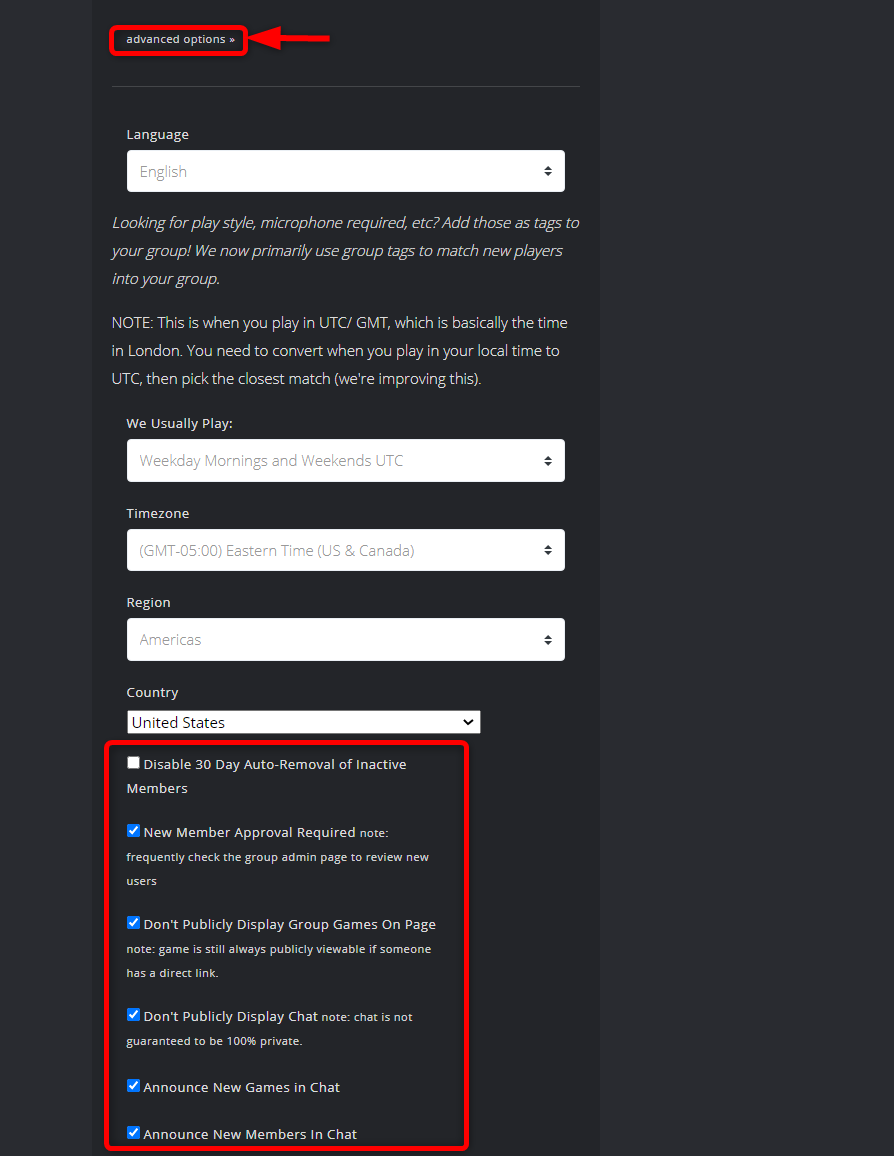
Private groups also have additional settings:
- Disable/Enable New member approval
- Disable/Enable group games visibility
- Disable/Enable group chat visibility
- These can be changed at any time
See image below to locate the settings under the edit group page:
Comments
0 comments
Please sign in to leave a comment.